WordPress plugin
DateSweep.
When an import gives every post the same date, DateSweep lets you correct them in one go. Choose a range, preview the changes and undo the last run if you need to.

Sample WordPress import
Date preview
| Post | Imported | Proposed |
|---|---|---|
| A guide to Alicante | 01 Aug | 08 Jul |
| Meet the makers | 01 Aug | 17 Jul |
| Summer in the studio | 01 Aug | 26 Jul |
How it works
Inside WordPress.
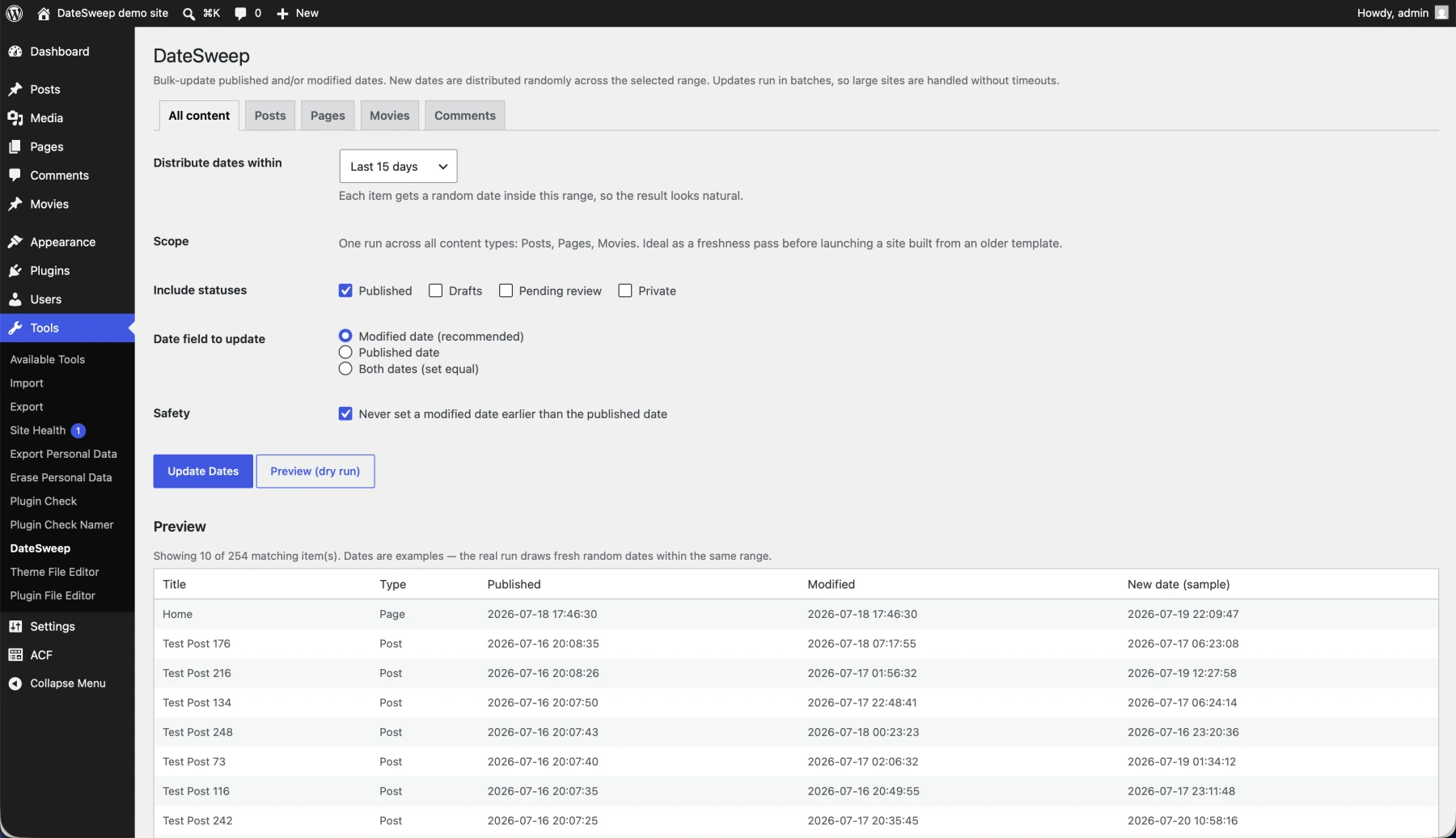
Built by Jan Stevens at Digtiz, DateSweep runs from the Tools menu in your WordPress dashboard.
 View full screenshot
Choose what to change
Select posts, pages or comments and set a date range. Narrow the selection by category or tag if you only need one part of the site.
Review a sample
The dry run shows the current dates alongside sample dates from your range. Check the selection before you start the update.
Run the update
DateSweep works through the selection in batches. If the range needs adjusting, open Recent runs to restore the previous dates.
Install and activate the free plugin from WordPress.org, then open Tools → DateSweep in your WordPress dashboard.
Choose the published date, the modified date, or set both to the same value. Public custom post types get their own tabs. The Comments tab lets you update comment dates while keeping each comment on or after its parent post.
Yes. The free plugin saves the dates from your most recent run. Select Undo in Recent runs to restore them. DateSweep Pro keeps the last ten runs.
Pro adds scheduled updates, ACF date fields, age-based filters, larger previews and a longer undo history. You can compare the editions and current plans on the DateSweep website.